Load each van
Transfer stock from your main warehouse to the van’s own stock location.
Know what is in each van. Sell from a mobile device. Keep sales and accounts together. We help you get the setup right.
A 7-day software trial. Setup help included with paid Grow.
Your team works from the same stock and sales records.
Transfer stock from your main warehouse to the van’s own stock location.
Use the connected POS profile on a compatible mobile device.
Use the agreed printing setup. Review sales and remaining stock from your workspace.
We help configure the standard workflow and walk your team through the first sale.
See setup and support →The same stock tools connect your warehouse and van locations. Follow transfers, sales and remaining quantities without separate spreadsheets.
Explore stock and sales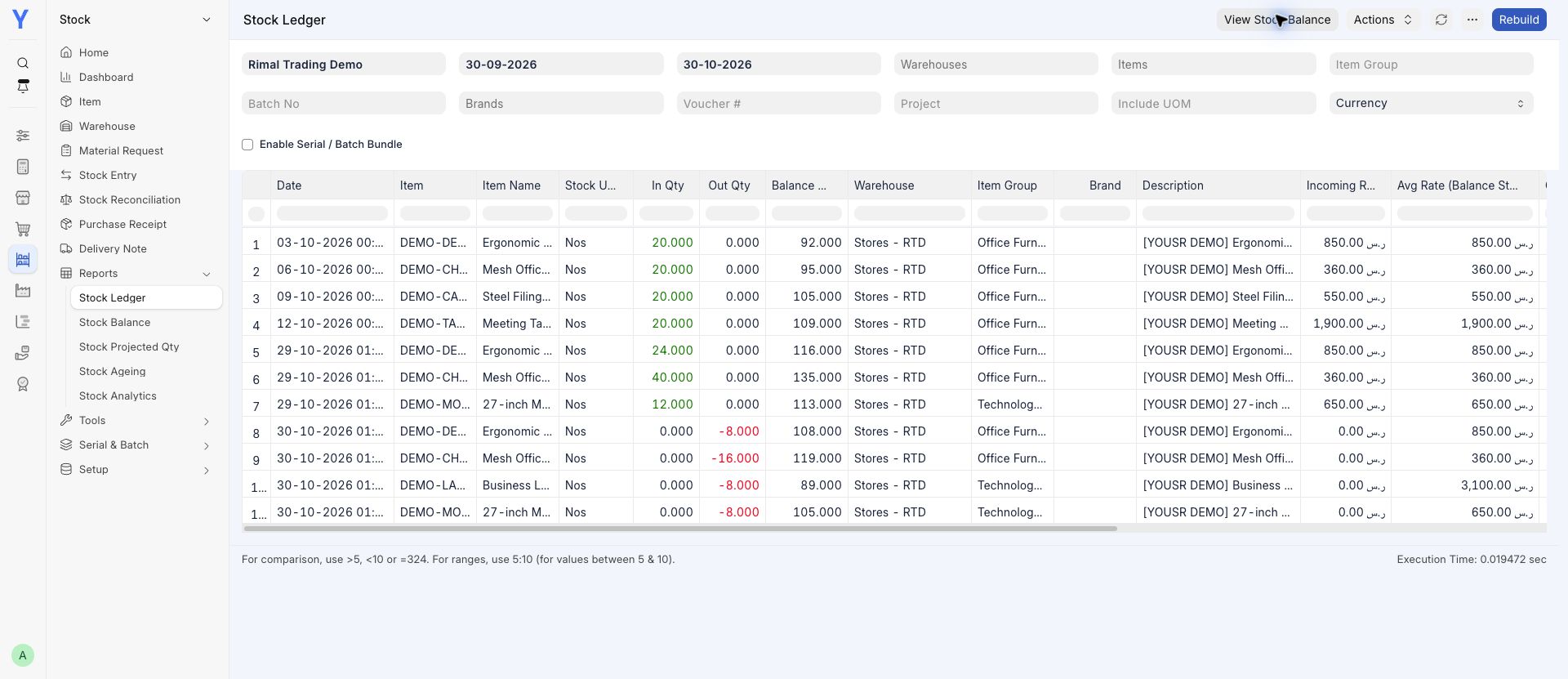
Stock, sales and accounts, plus standard setup for one company and one agreed workflow. Tell us how many vans and users you have so we can agree your setup.
One VAT entity. Devices, printers and connectivity are supplied by your business. Specialist integrations and additional work are agreed separately.
Compare all packages and current prices →Explore the software during your trial. Included consultant setup begins with a paid subscription.
The standard workflow uses the stock, warehouse and POS tools in YousrERP. We configure each van as a stock location and connect its POS profile. Extra integrations or specialist workflows are agreed separately.
Grow is our recommended starting point when you want setup help. It includes one-time standard setup for one company and one agreed workflow. We confirm your van count, users and devices with you. Start includes self-guided setup; Scale adds its published service allowances.
Tell us which phone and Bluetooth printer you use. We check the phone, browser and printer combination with you and confirm how receipts will print before handover. Hardware and mobile data are supplied by your business.
This page describes a connected, browser-based setup. Tell us before setup if your team needs to sell without a reliable connection, so we can agree a suitable workflow.
Grow and Scale include ZATCA integration with a setup review. We confirm your business details and the required invoice workflow before activation. Each Start, Grow or Scale subscription covers one VAT entity.
You can explore the software with an eligible seven-day trial or choose Pay now. The trial starts at activation, once per account. Included consultant setup begins with a paid subscription.